在线文生视频工作区

文生视频 AI 生成器

输入视频创意与文字提示词,选择合适画幅,并从社交短片、广告、产品演示和电影感场景案例开始生成。

Product demoTikTok hookCinematic sceneExplainer video

文生视频案例

可直接复用的文生视频案例与提示词

先预览视频效果,再选择最接近目标的案例,把对应提示词载入生成器继续修改。

Action · 8s

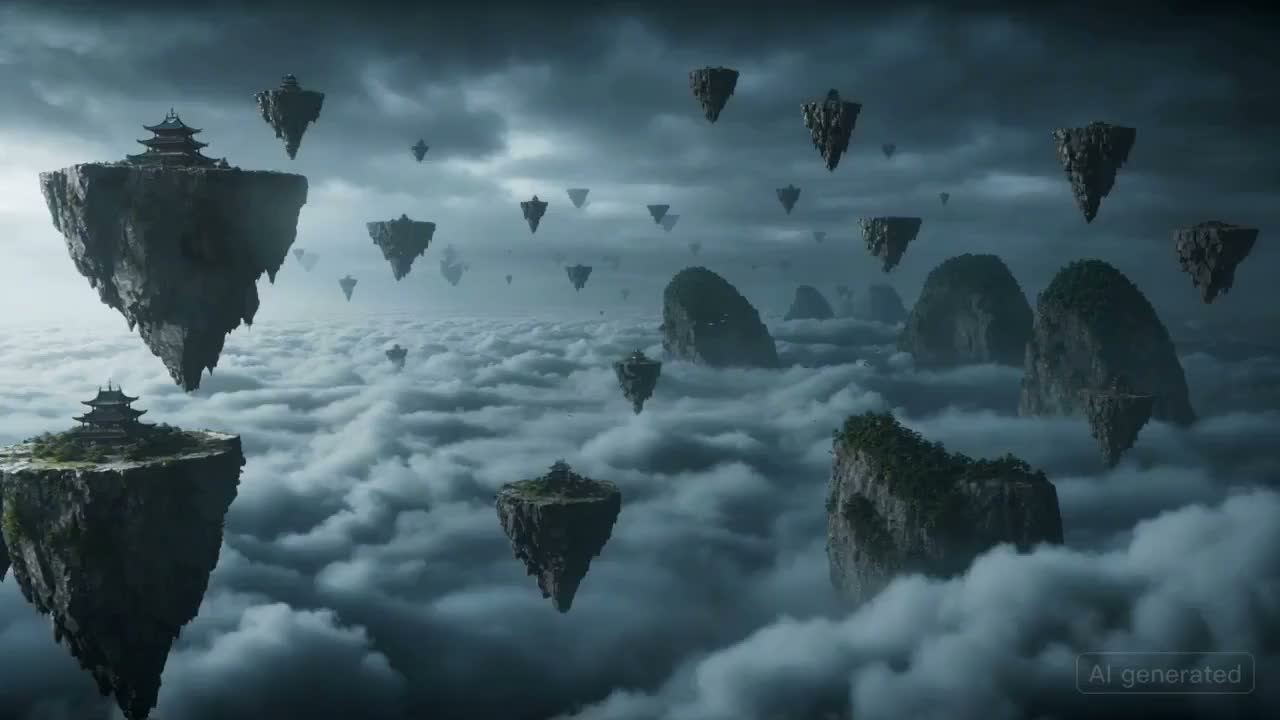
Sky Battlefield Ronin

Fast fantasy action with storm clouds, floating islands, and dramatic camera movement.

A masked warrior races across floating rock islands in a stormy sky, pursued by a colossal winged beast made of clouds and lightning. The camera moves quickly from island to island with rain, debris, dramatic sword arcs, and a final lightning-charged leap into the storm.
这个工具可以做什么

把文字提示词变成可用的视频草稿

描述一个清晰场景,选择输出画幅,再生成可以预览、比较和继续优化的短视频,无需从复杂剪辑时间线开始。

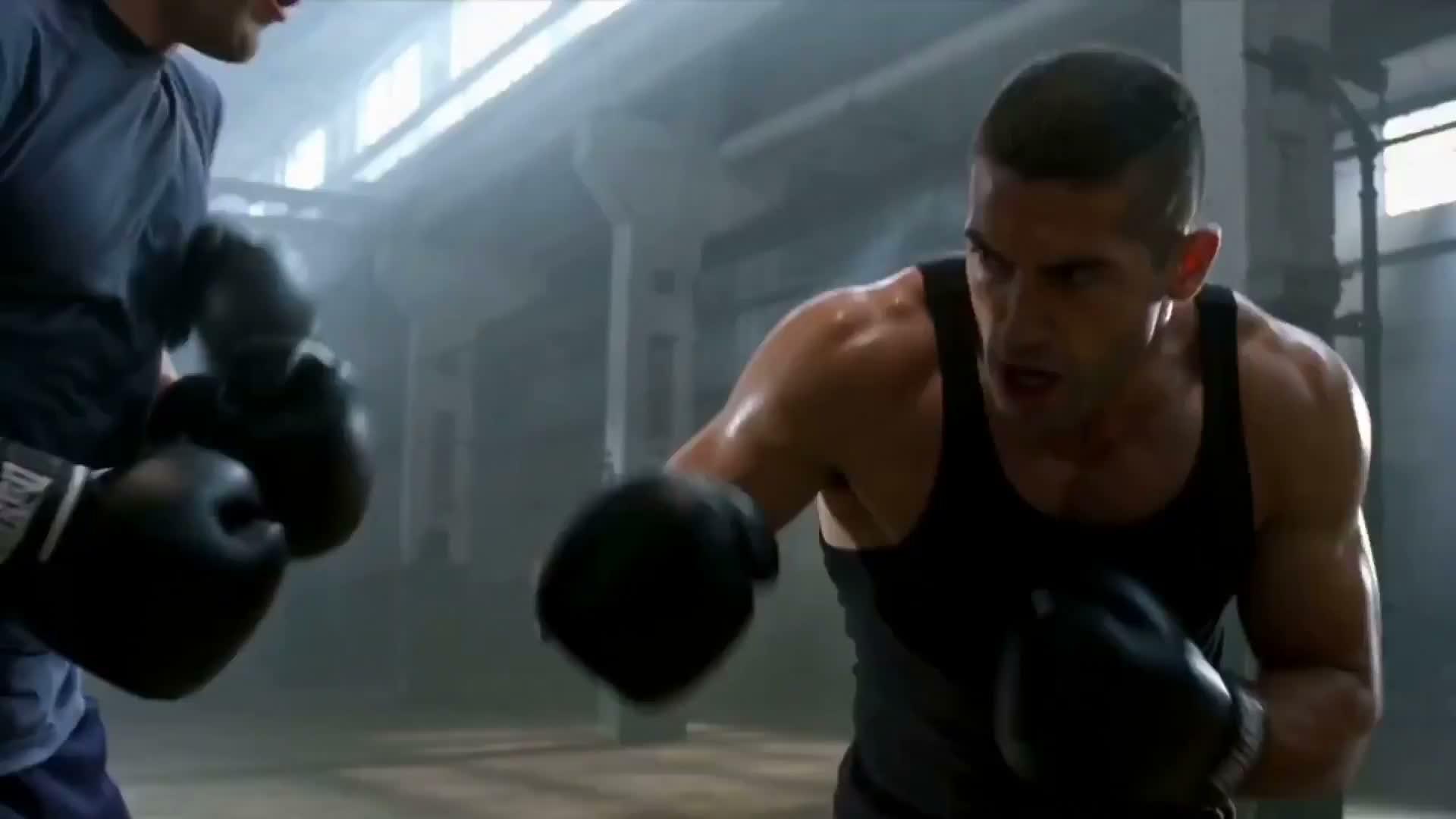
Cinematic brand engine AI video example

AI video from text

Create AI videos from text prompts

Describe the subject, action, camera movement, and mood. ImgEditor turns that direction into a short video draft without a filming setup or editing timeline.

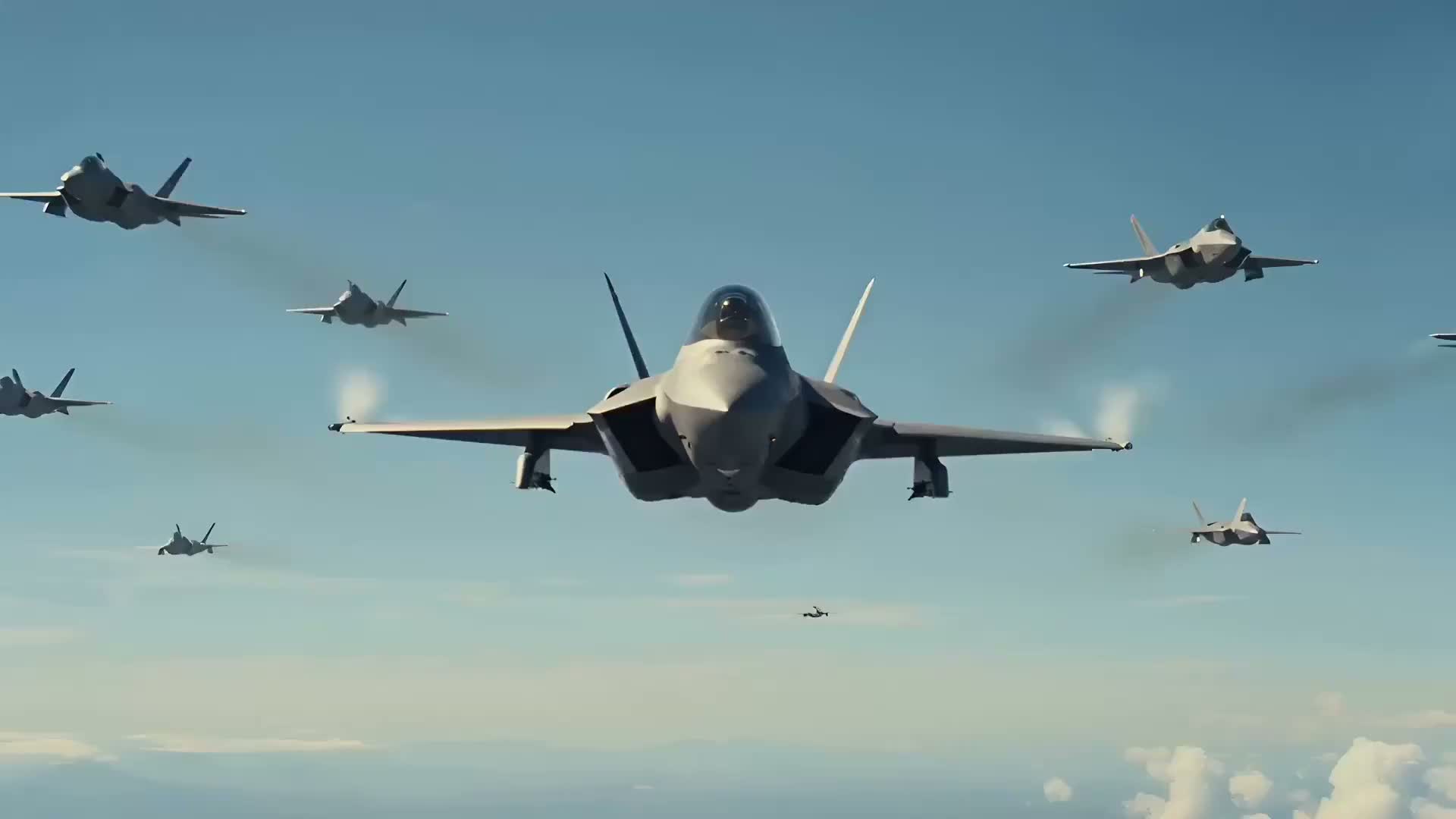
Fighter jet dogfight AI video example

Short video drafts

Turn campaign ideas into short video concepts

Use text-to-video to test product demos, ad hooks, social concepts, and cinematic scenes before investing in production.

Glass strawberry ASMR AI video example

Social and ad formats

Make vertical clips, ads, and product videos faster

Pick widescreen, square, or vertical output depending on where the clip will live. Start with a reusable prompt and refine one detail at a time.

电影感品牌引擎文生视频案例

文字生成 AI 视频

使用提示词创建 AI 视频

写清主体、动作、镜头运动和氛围,ImgEditor 会把这些方向转成短视频草稿,无需拍摄设备或剪辑时间线。

战斗机空战文生视频案例

短视频创意草稿

把营销创意快速变成短视频概念

在投入正式制作前,先用文生视频测试产品演示、广告开场、社交创意和电影感场景。

玻璃草莓 ASMR 文生视频案例

社交与广告画幅

更快制作竖屏短片、广告和产品视频

根据发布位置选择横屏、方形或竖屏画幅,从可复用提示词开始,并在每一版中只调整一个关键细节。

常用文生视频工作流

从实际需要制作的视频类型开始

根据发布目标选择 TikTok 短片、产品演示、AI 广告、解释视频、电影感场景或美食视频,再复用相应提示词结构。

Vertical hooks9:16

Text to TikTok video

Creators and social teams

Create a vertical hook with clear motion, fast pacing, and a simple reveal for Reels, Shorts, and TikTok.

Launch and ecommerce clips16:9

Product demo video

Founders, marketers, and stores

Show a product with controlled camera movement, studio lighting, and a polished commercial mood.

Campaign tests1:1

AI ad video

Performance and brand teams

Draft a short ad concept that can become a landing page visual, social creative, or campaign test.

Mood and story concepts16:9

Cinematic scene

Filmmakers and creative teams

Prototype a scene with atmosphere, camera language, and a clear visual moment before production.

SaaS and education16:9

Explainer video

Product and learning teams

Turn an abstract workflow or lesson into a simple motion concept with clear visual structure.

Restaurants and product food shots16:9

Food video

Food brands and creators

Create appetizing close-ups with steam, texture, slow motion, and warm lighting for menus or social clips.

竖屏开场9:16

文字生成 TikTok 视频

创作者与社交媒体团队

使用清晰动作、快速节奏和简单揭晓,制作适合 Reels、Shorts 与 TikTok 的竖屏开场。

产品发布与电商短片16:9

产品演示视频

创业者、营销人员与商店

通过可控运镜、棚拍光线和精致商业氛围展示产品。

广告创意测试1:1

AI 广告视频

效果广告与品牌团队

先制作一段可用于落地页、社交广告或营销活动测试的短广告概念。

氛围与故事概念16:9

电影感场景

电影制作人与创意团队

在正式制作前,通过场景氛围、镜头语言和明确视觉瞬间验证叙事方向。

SaaS 与教育内容16:9

解释视频

产品与学习团队

把抽象工作流或课程内容转成结构清晰、容易理解的动态概念。

餐厅与食品展示16:9

美食视频

食品品牌与内容创作者

使用蒸汽、材质、慢动作和暖光特写,为菜单、产品页或社交内容制作诱人画面。

使用方法

如何使用文字生成 AI 视频

聚焦的提示词通常比混合许多要求的长描述更容易控制。先生成简单草稿,再逐项调整。

1

Pick a video goal

Start with the job: product demo, TikTok hook, AI ad, explainer, or cinematic scene.

2

Describe scene and motion

Write the subject, action, camera movement, lighting, and mood in one focused prompt.

3

Choose format and duration

Select widescreen, vertical, or square output and choose a short duration for the first draft.

4

Generate and refine

Review the video, reuse a prompt, or simplify one detail at a time for the next version.

5

确定视频目标

先确定需要制作产品演示、TikTok 开场、AI 广告、解释视频还是电影感场景。

6

描述场景与动作

在一个聚焦的提示词中写清主体、动作、镜头运动、光线和氛围。

7

选择画幅与时长

选择横屏、竖屏或方形输出,第一版先使用较短时长验证方向。

8

生成并逐步优化

查看视频结果,复用提示词,或在下一版中一次只简化和调整一个细节。

提示词结构

一套清晰的文生视频提示词公式

先把六个关键元素写清楚,确认它们彼此兼容后,再补充更多细节。

主体 + 动作 + 镜头 + 风格 + 光线 + 氛围

Subject

What appears in the scene.

Action

What changes over time.

Camera

Push-in, dolly, orbit, handheld, or overhead.

Style

Cinematic, commercial, editorial, realistic, or animated.

Lighting

Studio, daylight, neon, golden hour, or moody.

Mood

Energetic, calm, luxury, dramatic, or playful.

主体

说明画面中出现的人物、产品、动物或主要物体。

动作

说明主体如何运动,以及场景随时间发生什么变化。

镜头

选择推进、平移、环绕、跟拍、手持或俯拍等运镜方式。

风格

定义电影感、商业广告、编辑感、写实或动画等视觉方向。

光线

说明棚拍、日光、霓虹、黄金时刻或低调光等照明条件。

氛围

确定活力、平静、高级、戏剧性或轻松有趣等情绪。

Product demo prompt

A premium product demo video of a matte black smartwatch rotating on a clean studio background, slow camera orbit, soft reflections, cinematic commercial lighting, 8 seconds.

TikTok hook prompt

A vertical social video hook with a surprising product reveal on a desk, quick camera push-in, bright color accents, energetic pacing, clean creator studio, 8 seconds.

产品演示提示词

A premium product demo video of a matte black smartwatch rotating on a clean studio background, slow camera orbit, soft reflections, cinematic commercial lighting, 8 seconds.

TikTok 开场提示词

A vertical social video hook with a surprising product reveal on a desk, quick camera push-in, bright color accents, energetic pacing, clean creator studio, 8 seconds.

适用场景

哪些创作任务适合文生视频?

这些都是创作者、营销团队和产品团队实际需要完成的视频任务,而不只是关键词分类。

TikTok and Reels clips

Create vertical short-form clips from hooks, scene ideas, product moments, or creator concepts.

Product demo videos

Turn a product idea into a short commercial-style video with motion, lighting, and camera direction.

Short ad creatives

Draft quick ad concepts for campaigns, landing pages, and performance creative tests.

Cinematic story scenes

Describe a scene, mood, and camera path to create a short narrative or visual concept.

Explainer videos

Generate simple motion concepts for workflows, education, onboarding, and product explanations.

Background and abstract motion

Create clean loops, intro visuals, and background motion for videos, websites, and presentations.

TikTok 与 Reels 短片

根据开场创意、场景想法、产品瞬间或创作者概念制作竖屏短视频。

产品演示视频

使用动作、光线和运镜,把产品想法转成简短的商业展示视频。

短广告创意

为营销活动、落地页和效果广告测试快速制作短广告草稿。

电影感故事场景

描述场景、氛围和镜头路径,创建短篇叙事或视觉概念。

解释视频

为工作流、教育、用户引导和产品说明生成结构清晰的动态概念。

背景与抽象动画

为视频、网站和演示文稿创建简洁循环、片头视觉与动态背景。

为什么选择 ImgEditor

为什么使用 ImgEditor 文生视频生成器?

围绕短视频草稿、清晰提示词和可重复工作流设计,让创意测试与后续调整更直接。

No editing timeline needed

Start from a prompt instead of opening a complex editor or filming source footage.

Examples for faster starts

Use ready-made prompts for product demos, social hooks, ads, explainers, and cinematic scenes.

Formats for every channel

Create widescreen, square, and vertical drafts for sites, ads, TikTok, Reels, and Shorts.

Saved creation workflow

Generated videos can be reviewed from My Creations so the page feels like a workspace, not a one-off form.

Simple credit estimate

The generate button keeps credit cost visible before you start a text-to-video job.

Built for short video ideas

The page is tuned for focused clips where one clear scene beats a long mixed prompt.

无需复杂剪辑时间线

直接从文字提示词开始,不必先打开复杂编辑器或准备拍摄素材。

使用案例更快开始

复用产品演示、社交开场、广告、解释视频和电影场景的现成提示词。

适配不同发布渠道

为网站、广告、TikTok、Reels 和 Shorts 创建横屏、方形与竖屏草稿。

保存完整创作流程

生成视频可在“我的作品”中继续查看,让页面成为持续使用的工作区,而不是一次性表单。

生成前显示积分消耗

提交文生视频任务前,生成按钮会显示当前模型与设置对应的积分成本。

专注清晰短视频创意

页面围绕聚焦的短片设计,一个清晰场景通常比混杂许多要求的提示词更有效。

相关 AI 视频工具

继续使用 ImgEditor 视频创作工具

根据下一项任务,从文字、图片、产品素材或免费视频体验进入更聚焦的工作流。

价格

选择最适合您的付费计划

年付套餐按年计费,积分按月发放。每月发放的积分有效期为 30 天。

Basic

$179/

$238.8 / 年

适合偶尔进行商品图清理、背景替换和 listing 优化

1,200 积分 / 月省 25%
约 $14.92 / 月
  • 每月积分额度 - 1,200(约 80 张 2K 图)
  • 2K 生成与无水印标准导出
  • 商品图清理、提示词编辑与参考图工作流
  • Pro 及以上套餐可用优先生成队列
  • 商业使用授权
推荐

Pro

$359/

$478.8 / 年

适合每周持续制作商品视觉、广告图和活动素材

3,000 积分 / 月省 25%
约 $29.92 / 月省 25%
  • 每月积分额度 - 3,000(约 200 张 2K 图)
  • 1K/2K 生成 + 无水印导出
  • 适用于 listing、广告与上新页面的编辑、放大和参考图工作流
  • 优先生成队列,出图更快
  • 商业使用授权 + 优先邮件支持

Max

$539/

$718.8 / 年

适合高频商品图生产、上新素材和重复活动更新

6,000 积分 / 月省 25%
约 $44.92 / 月省 25%
  • 每月积分额度 - 6,000(约 400 张 2K 图)
  • 1K/2K 生成 + 无水印导出
  • 更快的付费生成通道,适合较大的创意批次
  • 适用于 listing、广告、上新和 campaign refresh 的高级商品视觉工作流
  • 商业使用授权 + 更快支持

Ultra

$719/

$958.8 / 年

适合更大的商品目录、更高频产出和持续商品视觉运营

10,000 积分 / 月省 25%
约 $59.92 / 月省 25%
  • 每月积分额度 - 10,000(约 660 张 2K 图)
  • 1K/2K 生成 + 无水印导出
  • 大批量商品图清理、增强和活动素材制作
  • 网页端最高优先级队列,获得最快出图体验
  • 商业使用授权 + 最优先支持

支付由 Stripe 提供安全保障

常见问题

文生视频 AI 生成器常见问题

01

What is a text to video AI generator?

A text to video AI generator turns a written prompt into a short video. You describe the subject, action, camera movement, style, and mood, then ImgEditor creates a video from that direction.

02

How do I write a good text-to-video prompt?

Start with the subject and action, then add camera movement, visual style, lighting, mood, and duration. Specific prompts are usually easier to control than vague one-line ideas.

03

Can I generate TikTok or Reels videos from text?

Yes. Choose a vertical aspect ratio, write a short prompt with a clear hook or motion idea, and keep the scene focused so it works well as a short social clip.

04

Can I use text-to-video for product demos?

Yes. Text-to-video works well for product reveal concepts, launch teasers, feature explainers, and short ad creative when you describe the product, lighting, background, and camera movement clearly.

05

How long does text-to-video generation take?

Generation time can vary by model, duration, and system load. Short focused clips usually finish faster than complex scenes with many actions or heavy visual detail.

06

What aspect ratios are supported?

The text-to-video tool supports common formats including widescreen, vertical, and square outputs, so you can create videos for websites, ads, TikTok, Reels, and other social formats.

07

Can I use generated videos commercially?

Generated videos can be used for business and creative projects according to ImgEditor terms and the rights you have for any source material, prompts, or references you provide.

08

What should I do if the video does not match my prompt?

Refine one thing at a time. Make the subject clearer, simplify the action, specify camera movement, and avoid asking for too many unrelated changes in a single short clip.

09

What is a prompt to video AI generator?

A prompt to video AI generator is another name for a text-to-video tool. Write a prompt that describes the subject, action, camera, lighting, and mood, and ImgEditor turns that direction into a short AI video draft.

10

Is there a free text-to-video preview?

Yes. After signing up, each account can generate one 6-second 480p preview with Grok Imagine using a text prompt. No credit card is required for that preview; additional generations and premium models use purchased video credits.

11

什么是文生视频 AI 生成器?

文生视频 AI 生成器可以把文字提示词转换成短视频。写下主体、动作、镜头运动、视觉风格和氛围,ImgEditor 会根据这些方向生成视频。

12

怎样编写有效的文生视频提示词?

先写主体和动作,再补充镜头运动、视觉风格、光线、氛围和时长。具体且聚焦的提示词通常比模糊的一句话更容易控制。

13

可以用文字生成 TikTok 或 Reels 视频吗?

可以。选择竖屏画幅,写一个包含明确开场或动作创意的简短提示词,并让场景保持聚焦,更适合制作社交短片。

14

文生视频适合制作产品演示吗?

适合。明确描述产品、光线、背景和镜头运动后,可用于产品揭晓、发布预告、功能说明和短广告创意。

15

生成一段文生视频需要多长时间?

生成时间会受到模型、时长和系统负载影响。动作较少、要求清晰的短片,通常比包含许多事件和复杂细节的场景更快完成。

16

支持哪些视频画幅?

文生视频工具支持常用横屏、竖屏和方形画幅,可用于网站、广告、TikTok、Reels 及其他社交内容。

17

生成的视频可以商用吗?

在遵守 ImgEditor 服务条款,并确保你对所提供的提示词、参考素材及其他内容拥有相应权利的前提下,可将生成视频用于商业和创意项目。

18

视频结果与提示词不一致怎么办?

建议一次只调整一个变量:把主体写得更明确,简化动作,指定镜头运动,并避免在一个短片中要求太多互不相关的变化。

19

提示词生成视频和文生视频有什么区别?

两者通常指同一种工作流:使用文字提示词描述主体、动作、镜头、光线和氛围,再由 ImgEditor 把这些方向转成 AI 视频草稿。

20

可以免费试用文生视频吗?

可以。注册后,每个账号可使用文字提示词生成一次 6 秒、480p 的 Grok Imagine 预览,无需信用卡;后续生成和高级模型需要使用已购买的视频积分。

ImgEditor

在线文生视频工作区

从一个清晰提示词开始

选择提示词模板,调整主体、动作和镜头运动,再使用 ImgEditor 创建第一段 AI 短视频。